Subscriptions
You can view your current subscription and current subscription usage by visiting either the main dashboard or your account screen:
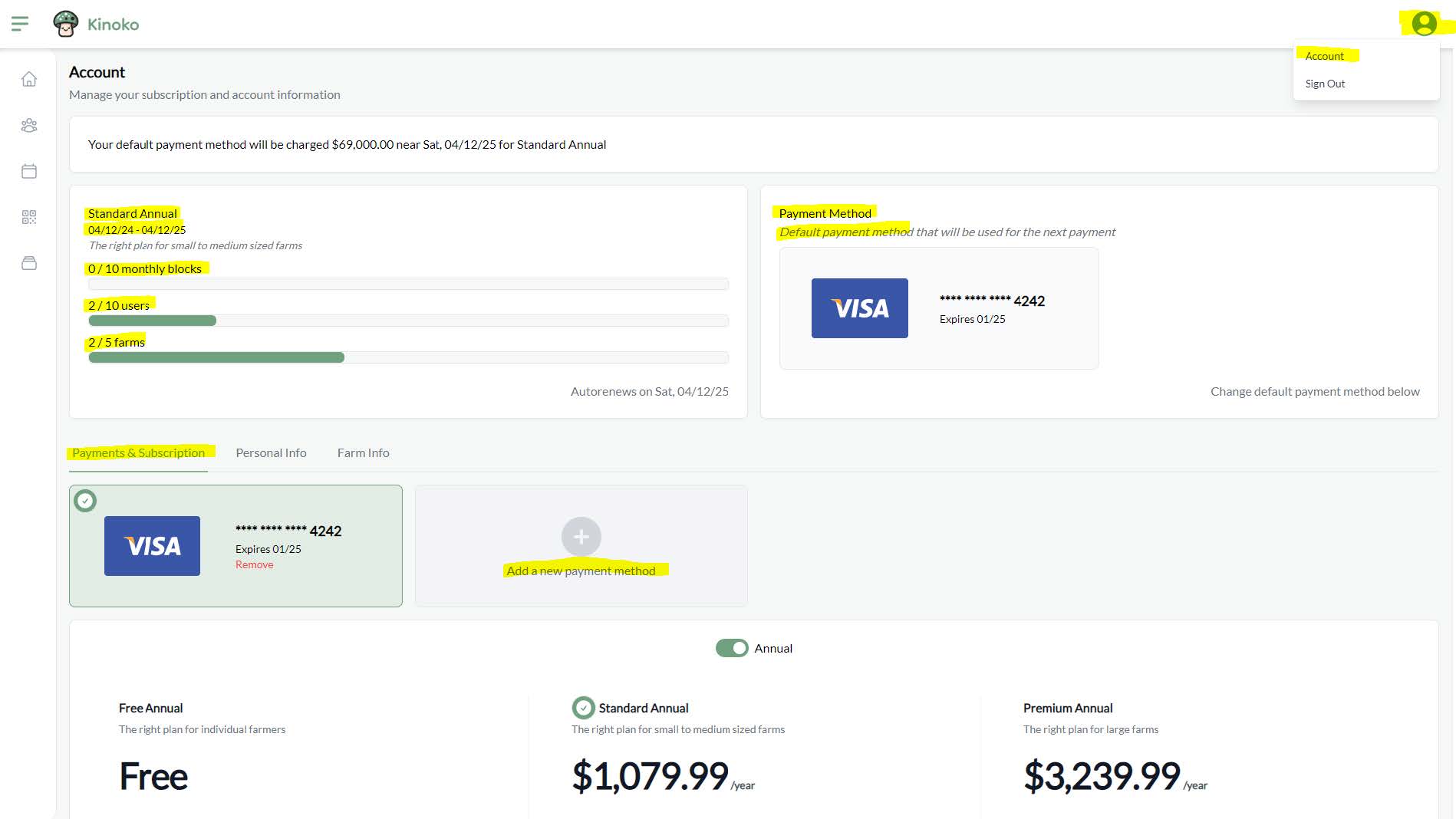
In the top-left panel, you can view your subscription block usage, user usage, and farm usage in your current subscription tier.
There are two types of subscriptions: monthly and annual. When you purchase an annual subscription, you will get a discounted rate. If you wish to stop a subscription plan, you can switch over to a different plan. You will be switched at the end of your current subscription period.
You must first have a default payment method set before you are able to purchase a subscription. If you ‘upgrade’ to a new plan, you will be immediately placed onto the plan. If you ‘switch’/downgrade your plan, you will be placed onto that plan after your current subscription ends.
If you have any problems with your subscription, please contact us.