Adding a payment method
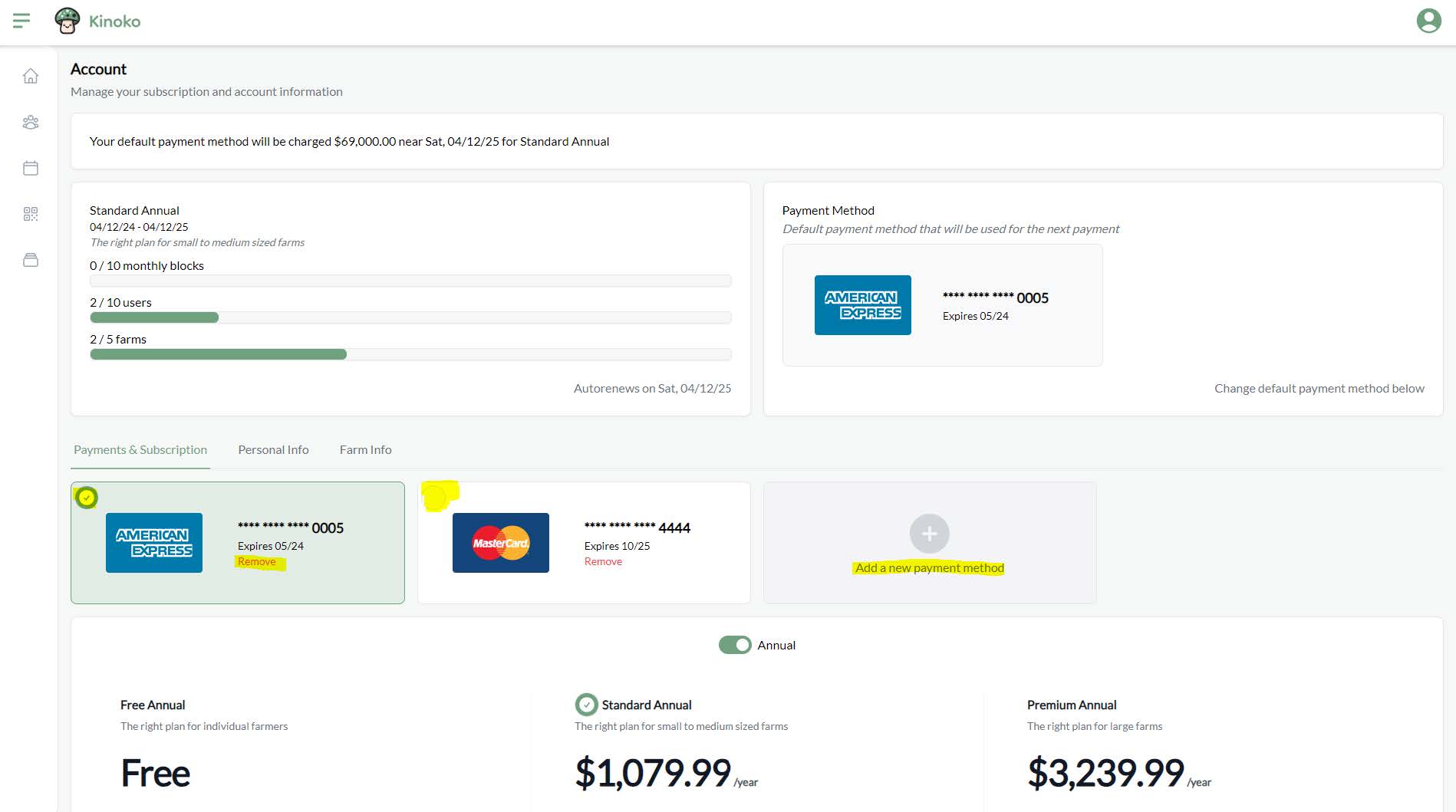
To add a payment method to be used on renewal of your subscription, you can go to your account screen and click ‘Add a new payment method’. You can then type into your card information using the modal that pops-up.
The default payment method is the card that will be used in any payments. If you wish to choose a different default payment method, you can click on the card itself:
Kinoko currently only supports cards but we intend to support ACH in the future.