Inviting users
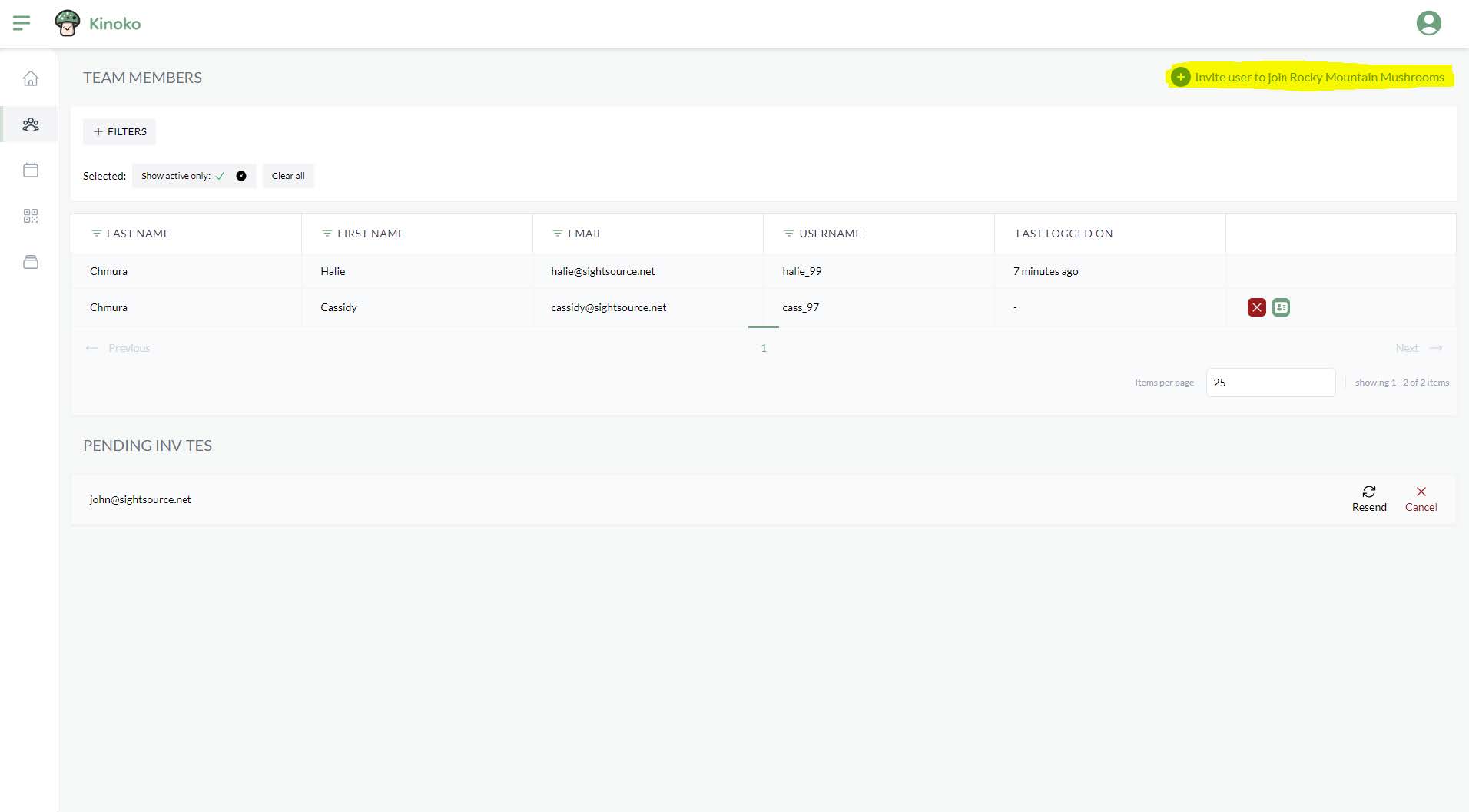
Farming alone is no fun! You can invite other users to join your farm within the Team Members management screen. You can invite a user by clicking the button titled ‘Invite user to join [your farm name]’:
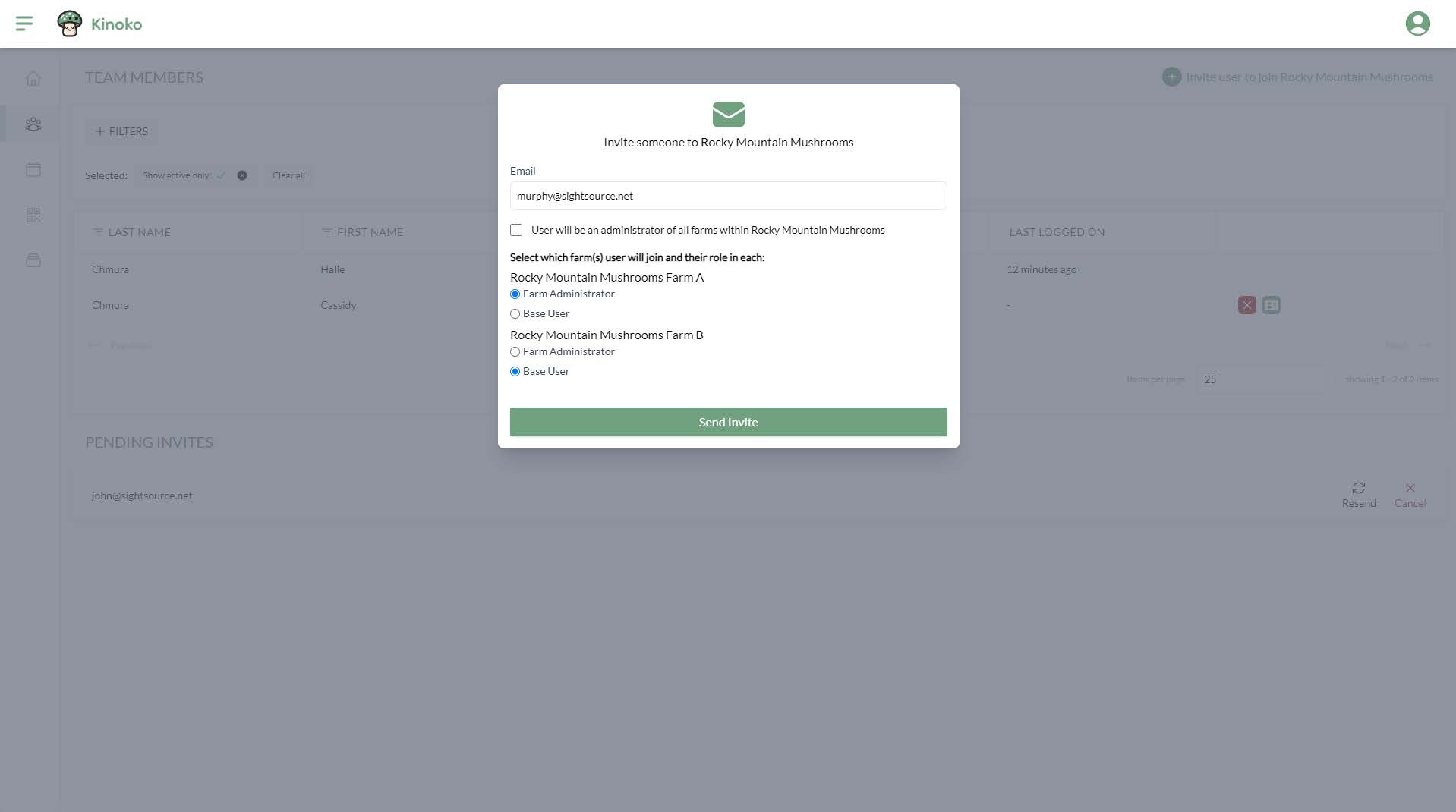
A pop-up appears that allows you to enter the email address of the user you would like to invite. You will then be able to set the role(s) you would like to have for your farm and sub-farms:
The user you invited will receive an email that includes a link to register. After registration, that user will be able to login and start working on your farm!