Creating/updating locations
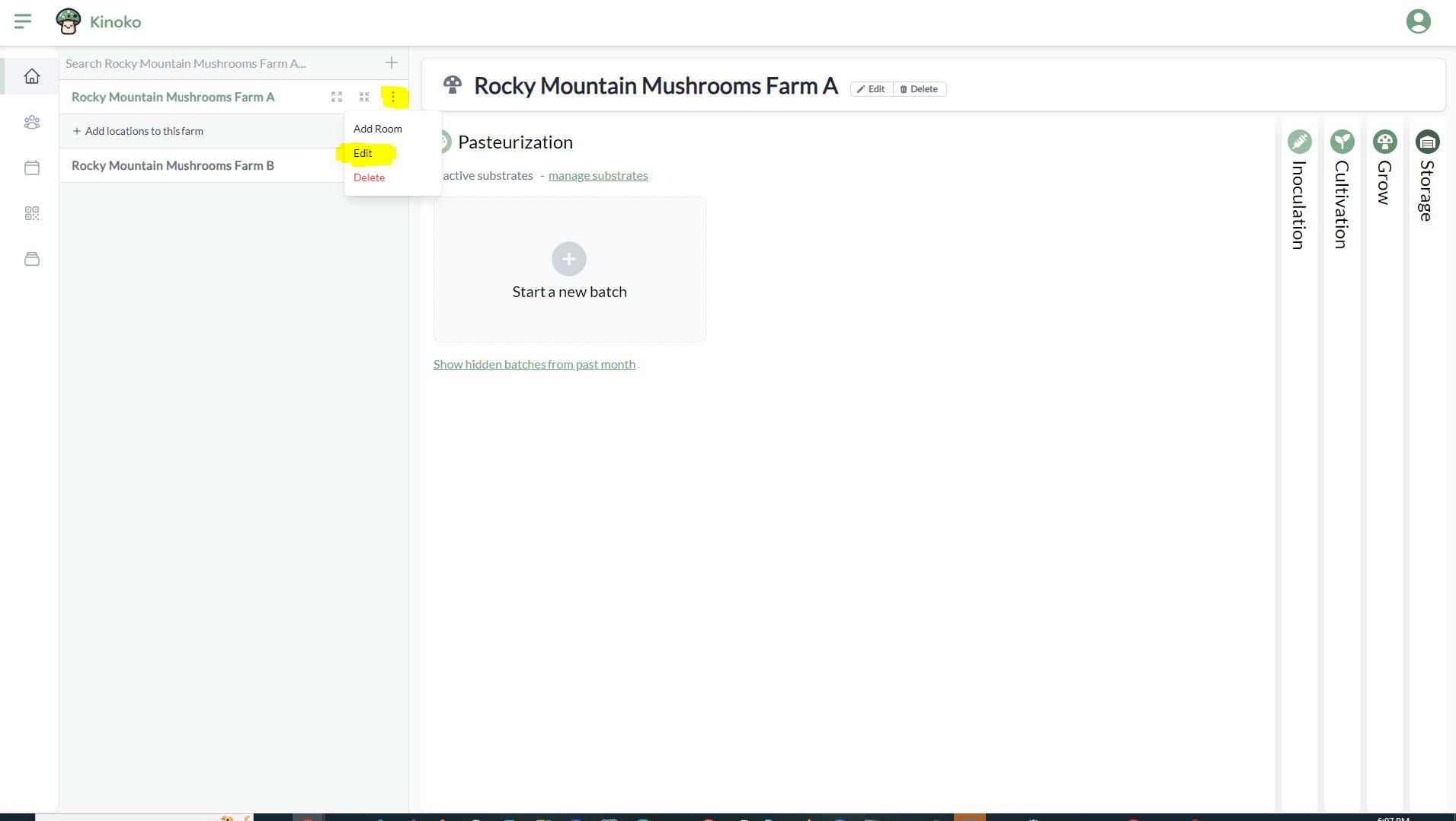
To create locations or edit existing ones, you can use what we call the ‘Location Wizard’. You can open this by clicking the 3 vertical dots to the right of a sub-farm's name and choosing ‘Edit’:
This opens the ‘Location Wizard’ on the right of the screen. You can edit your sub-farm’s name and add/edit locations within your sub-farm. The top-level location is a room, and each room must be associated with one the five mushroom growing steps. You should create at least one room for each of the mushroom growing steps.
- Underneath a room, you can create a rack, shelf, or slot.
- Underneath a rack, you can create a shelf or a slot.
- Underneath a shelf, you can create a slot.
- Underneath a slot, you cannot create any more sub-locations.
To add a room you would click the button that says ‘Add room’. To add locations underneath a room, you click the plus button next to the process step on the same room of the room:
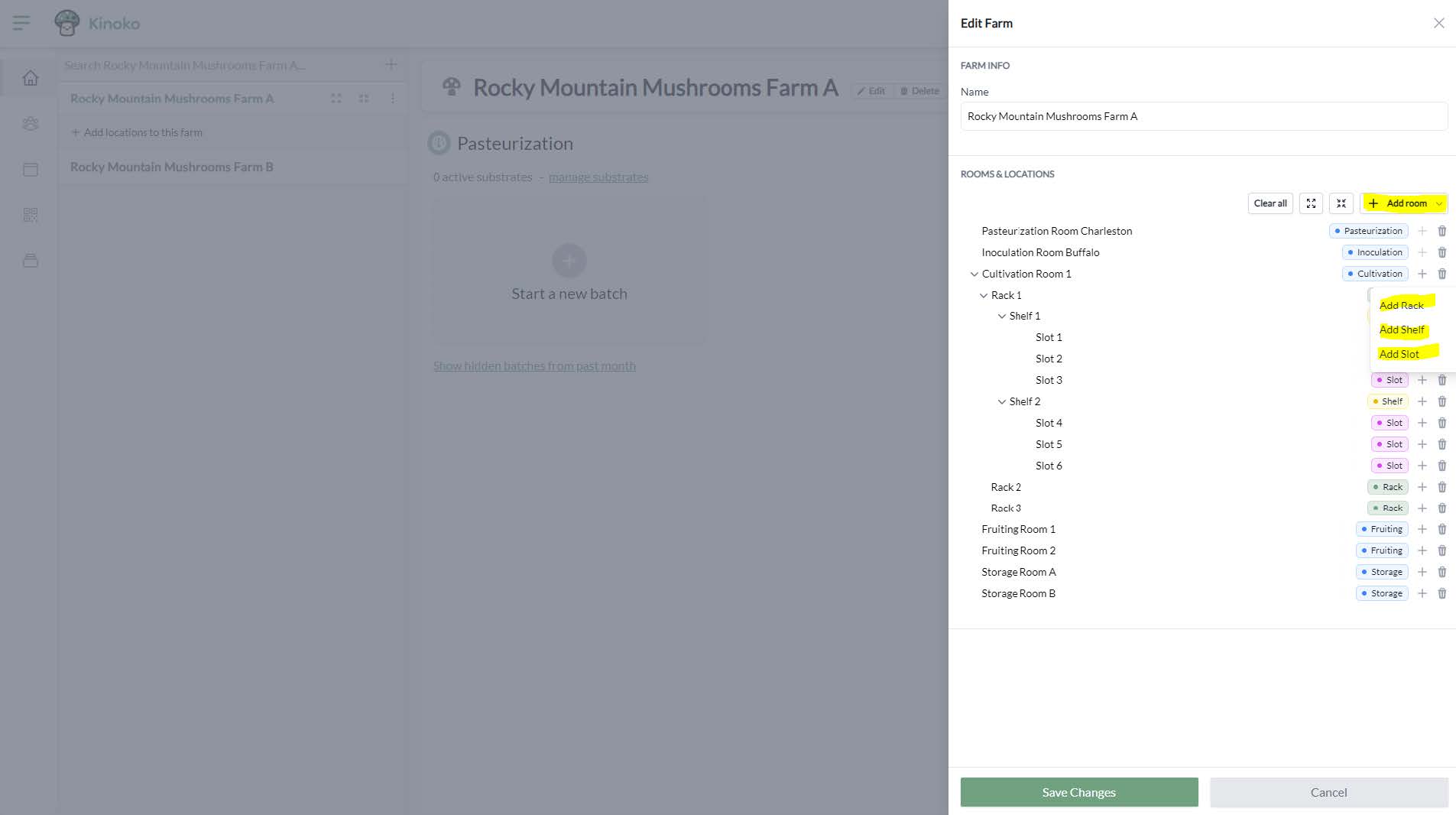
You can change the name of any location by clicking on the name of the location within the ‘Location Wizard’. A cursor will appear and you can begin typing.
Pasteurization and inoculation rooms cannot have any locations underneath them.