Scanning a tray
After scanning a QR code label that belongs to a tray, you will be presented with a screen that has options of what actions you can take on that tray and information about the tray itself.
In the header of the tray layout, you will be able to see the barcode identifier of the tray, the current harvest weight within the tray, and the location of the tray.
The 3 actions you can take on a tray are:
- harvest
- transfer
- empty or remove contents

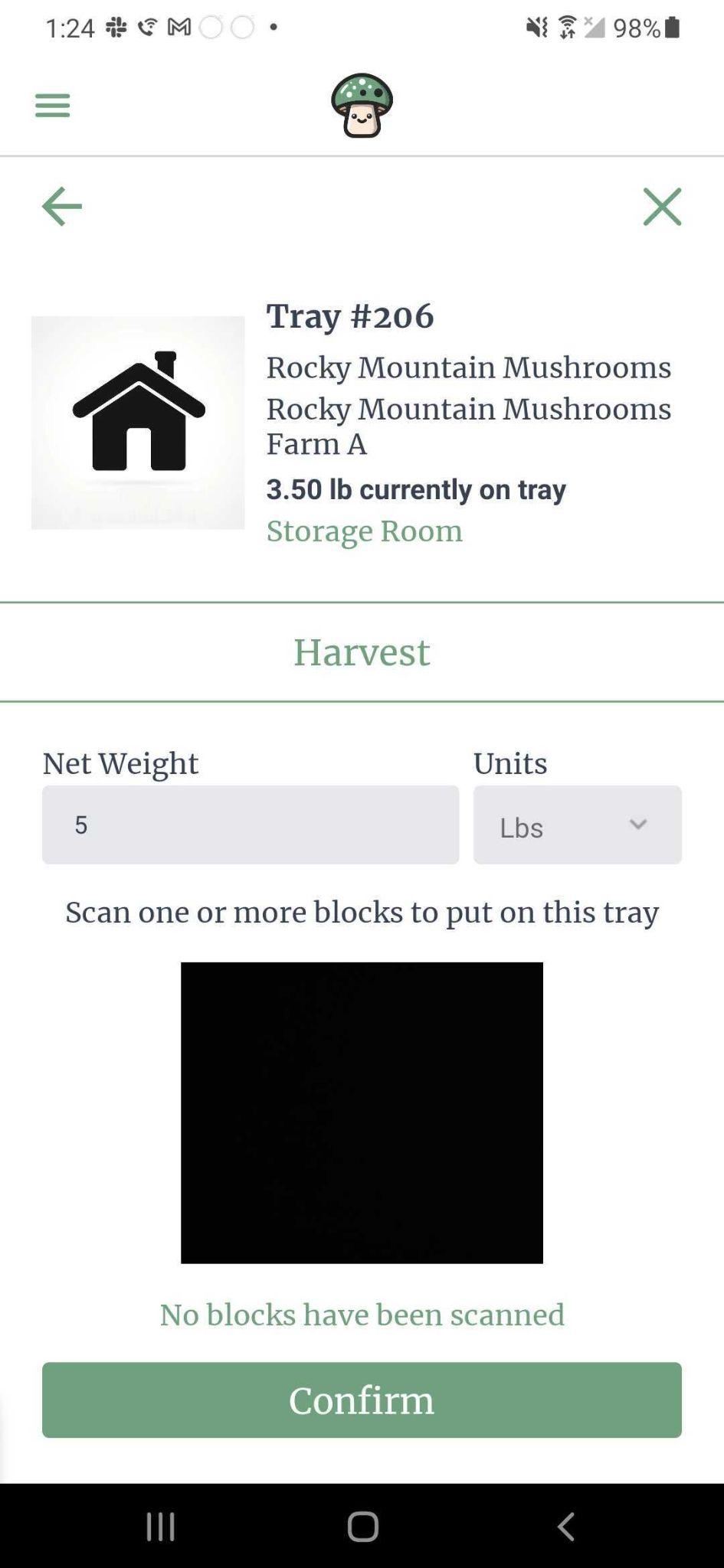
Harvest
Once a mushroom block is ready to be harvested, you can scan a tray and choose ‘Harvest’. You will then be able to enter the net weight of the harvest and scan the blocks that are being used in this harvest.
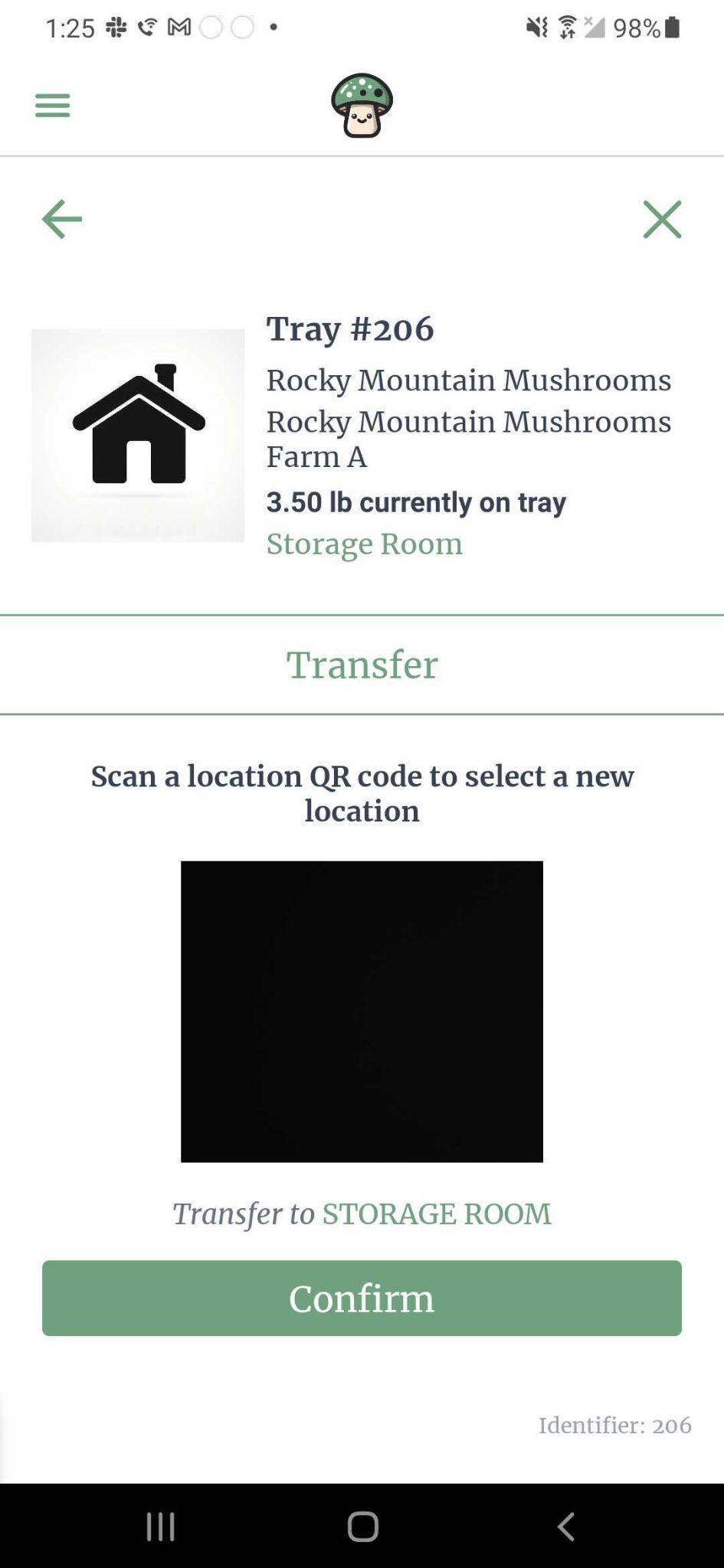
Transfer
You can move a tray into a storage location. You will be presented with a screen to scan the QR code label of the location you would like to move this tray to.
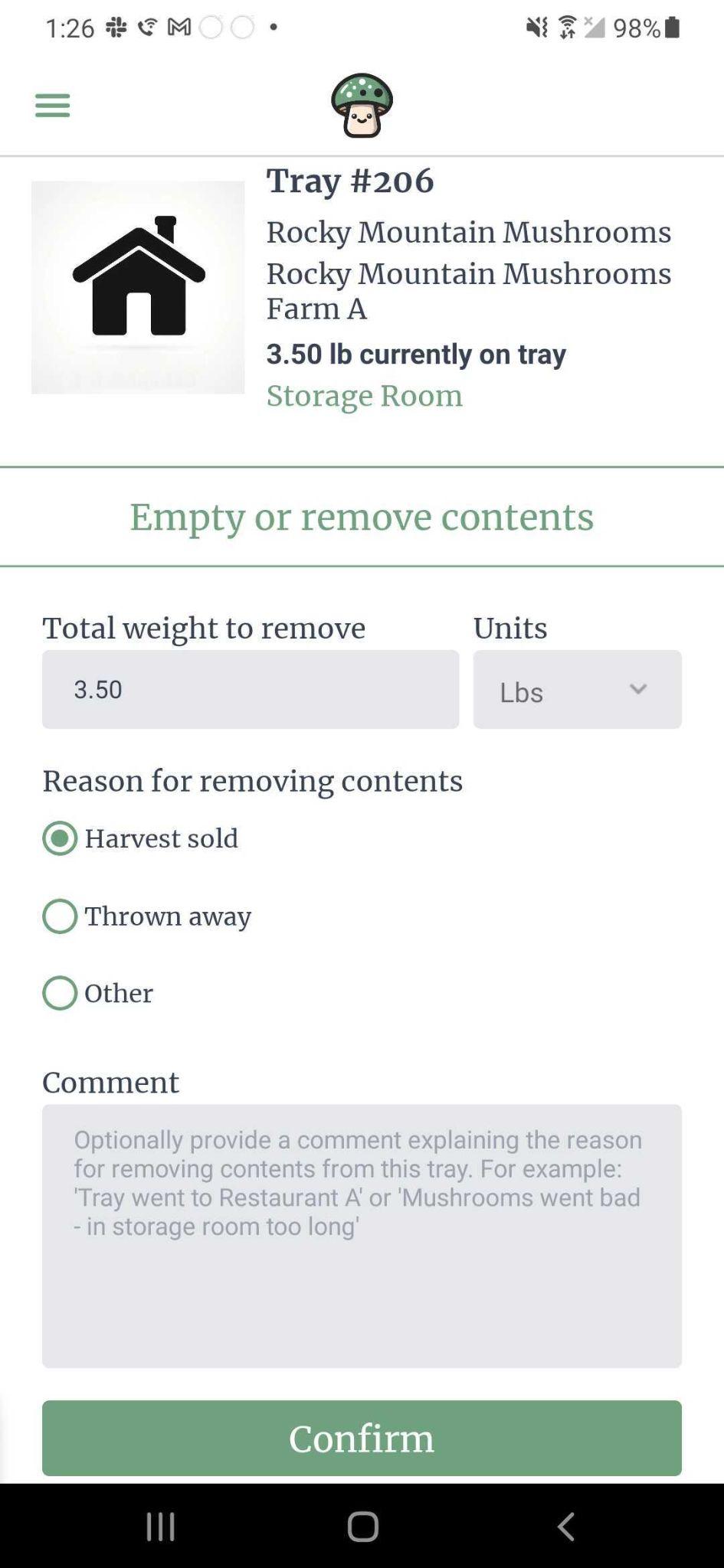
Empty or remove contents
If a tray has anything in it, you can remove the contents and give the reason for why the contents were removed. In the future, you will be able to add/edit the removal reasons.