Colonization panel
The cultivation panel shows all of your cultivation rooms (see creating a location). In each room tile, you will be able to see the total number of blocks that are currently within that cultivation room. As blocks get transferred into a cultivation location using the mobile app, you will see in real-time these blocks appear within the location.
You will also be able to see other metrics for each cultivation room such as the number of blocks ready to be moved to a grow room and the estimated total yield of all blocks currently within that location. These values are calculated by the values provided for estimated cultivation time and yield ratio for each mushroom variety within the resource management screen.
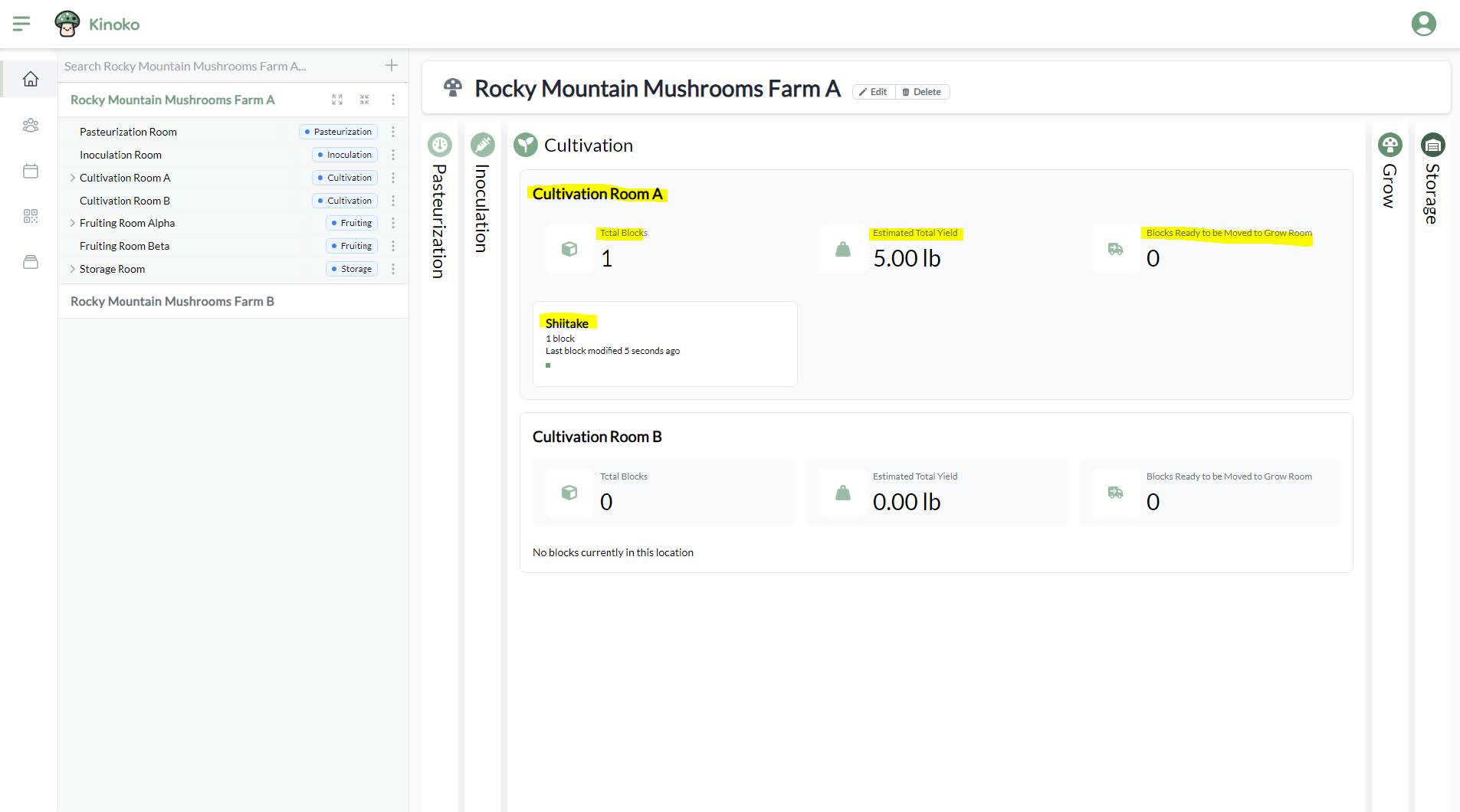
You can click on a location tile to be directly taken to the detail screen of that location.