Inoculation panel
The inoculation panel shows all of your inoculation rooms (see creating a location). In each room tile, you will be able to see the total number of blocks that are currently within that inoculation room. As blocks get inoculated with spawn using the mobile app, you will see in real-time these blocks appear within the location.
You will need to create at least one spawn before blocks are able to be inoculated.
The blocks are grouped by their mushroom variety. Each green square represents one mushroom block:
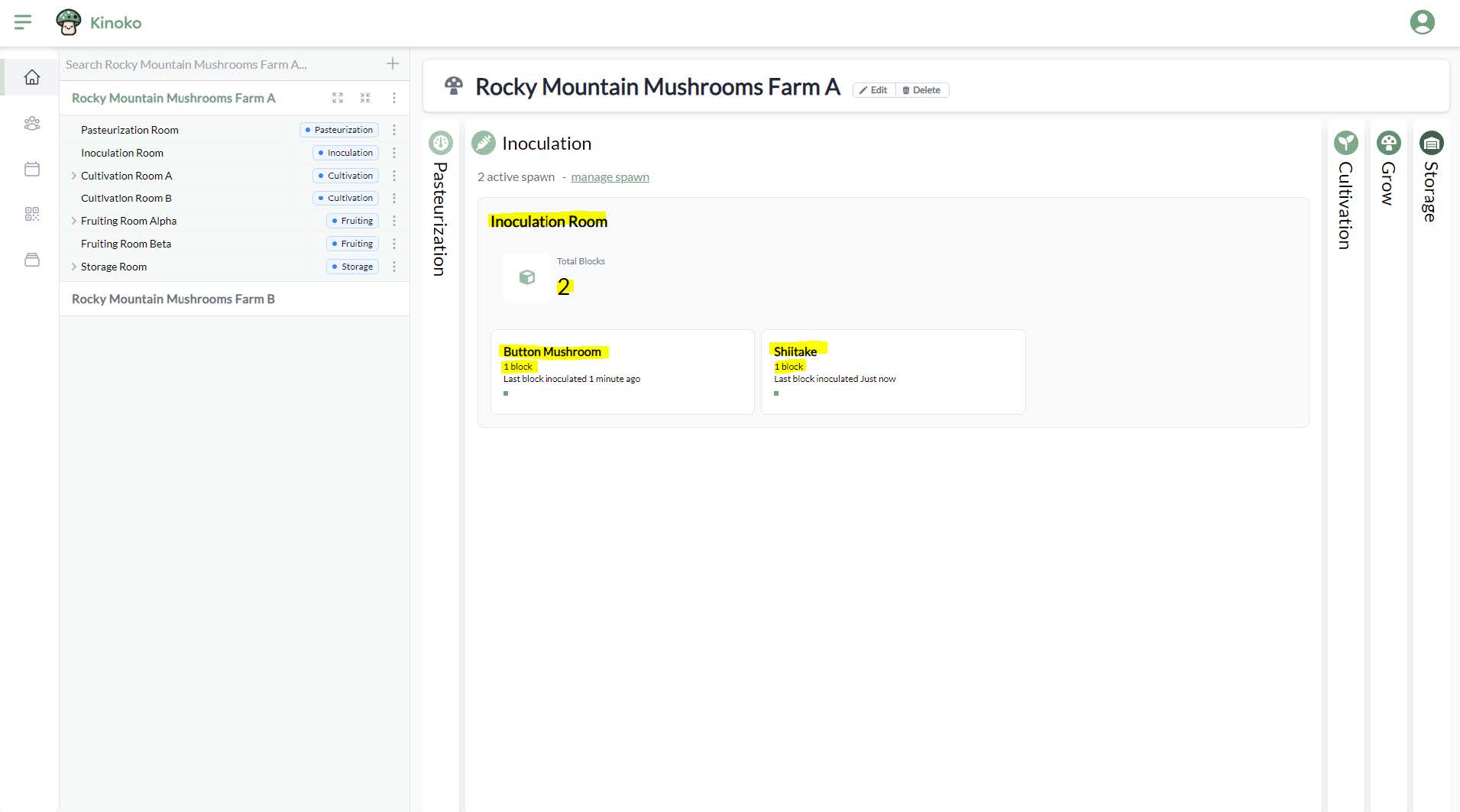
As blocks are transferred from an inoculation room to a cultivation room, you will see the green squares move from the inoculation panel to the cultivation panel in real-time. You can click on a location tile to be directly taken to the detail screen of that location.